
A new Home for your five games
Home has a new look. Here it is from top to bottom.
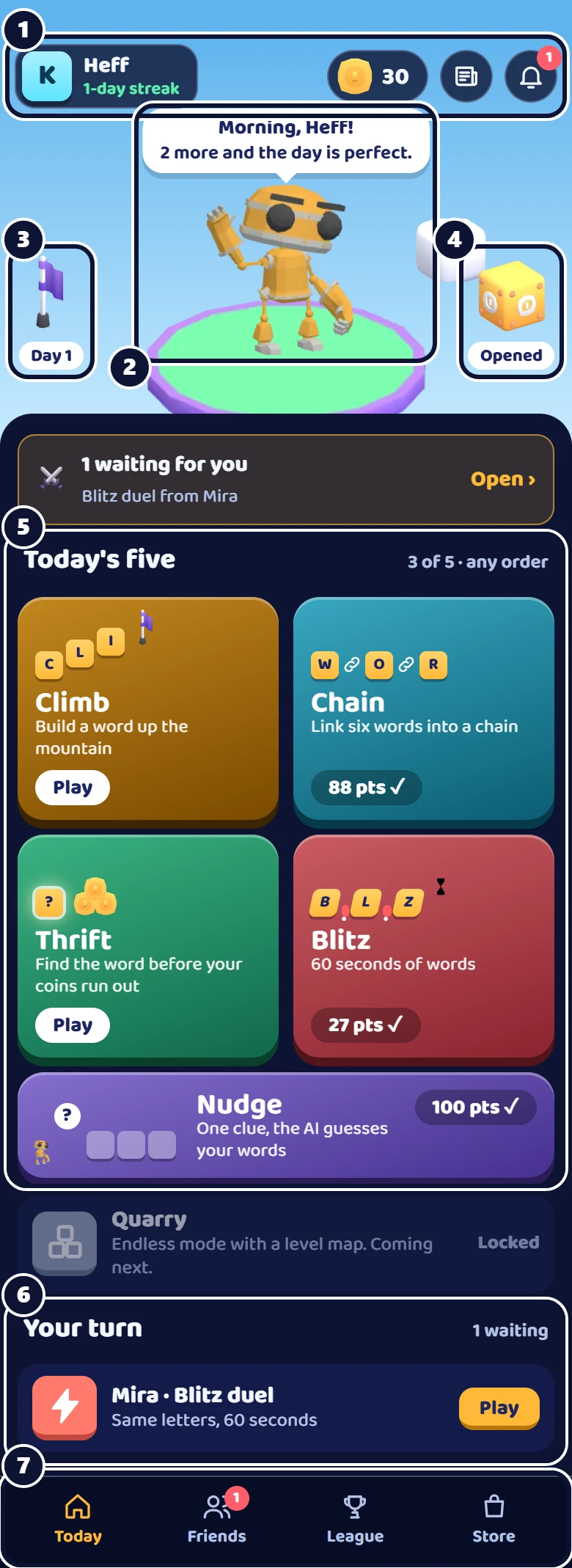
1 Your name, your coins, News and the bell sit at the top. Your name opens your Me page, the coins open the Store, News opens the latest posts and the bell opens your notifications.
2 The robot stands on its island under the sky. It waves while games are left, dances once all five are done, and greets you with a line about your day.
3 The streak flag shows your day count. Tap it for your calendar: the days you played, your Perfect Days, and how many more days earn a Hint.
4 The daily box opens once you have played three of today's games.
5 Today's five games are cards in their own colours. A played card shows your score and opens your result again. A card with a challenge waiting shows who dared you.
6 "Your turn" lists every challenge and Blitz duel waiting for you, with Play right there.
7 Four tabs sit at the bottom: Today, Friends, League and Store.
Your Me page
Tap your name at the top for your Me page.
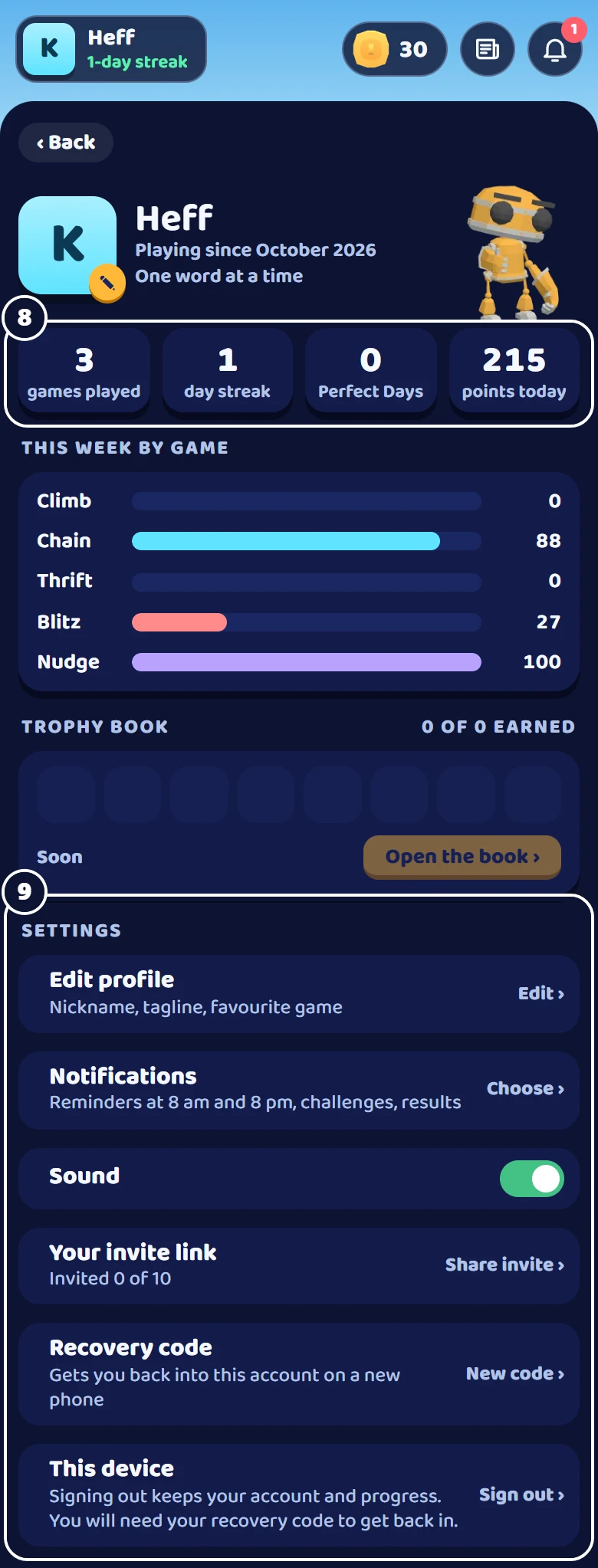
8 Your games played, your day streak, your Perfect Days and your points today. Below them are this week's points by game.
9 Your settings: edit your profile, choose your notifications, switch the sound, share your invite link, make a new recovery code, or sign out. Tap your avatar to pick a new one from sixteen letter tiles.